Cupra Projects
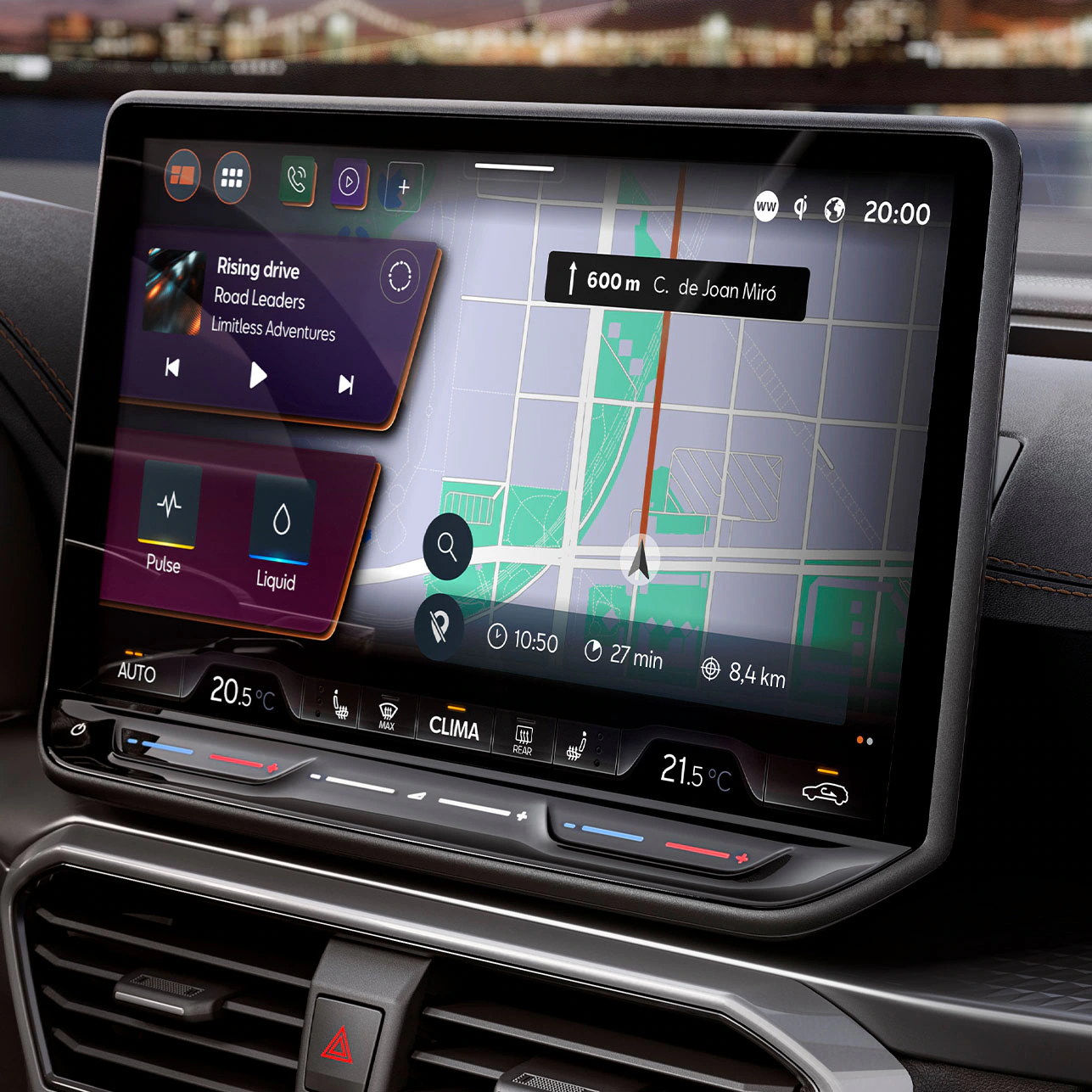
As a UX Designer specializing in the user interface of Cupra vehicles, my focus is on enhancing the digital driving experience through the design and optimization of the car's main screens, the steering wheel and the Head-Up-Display.
Confidentiality
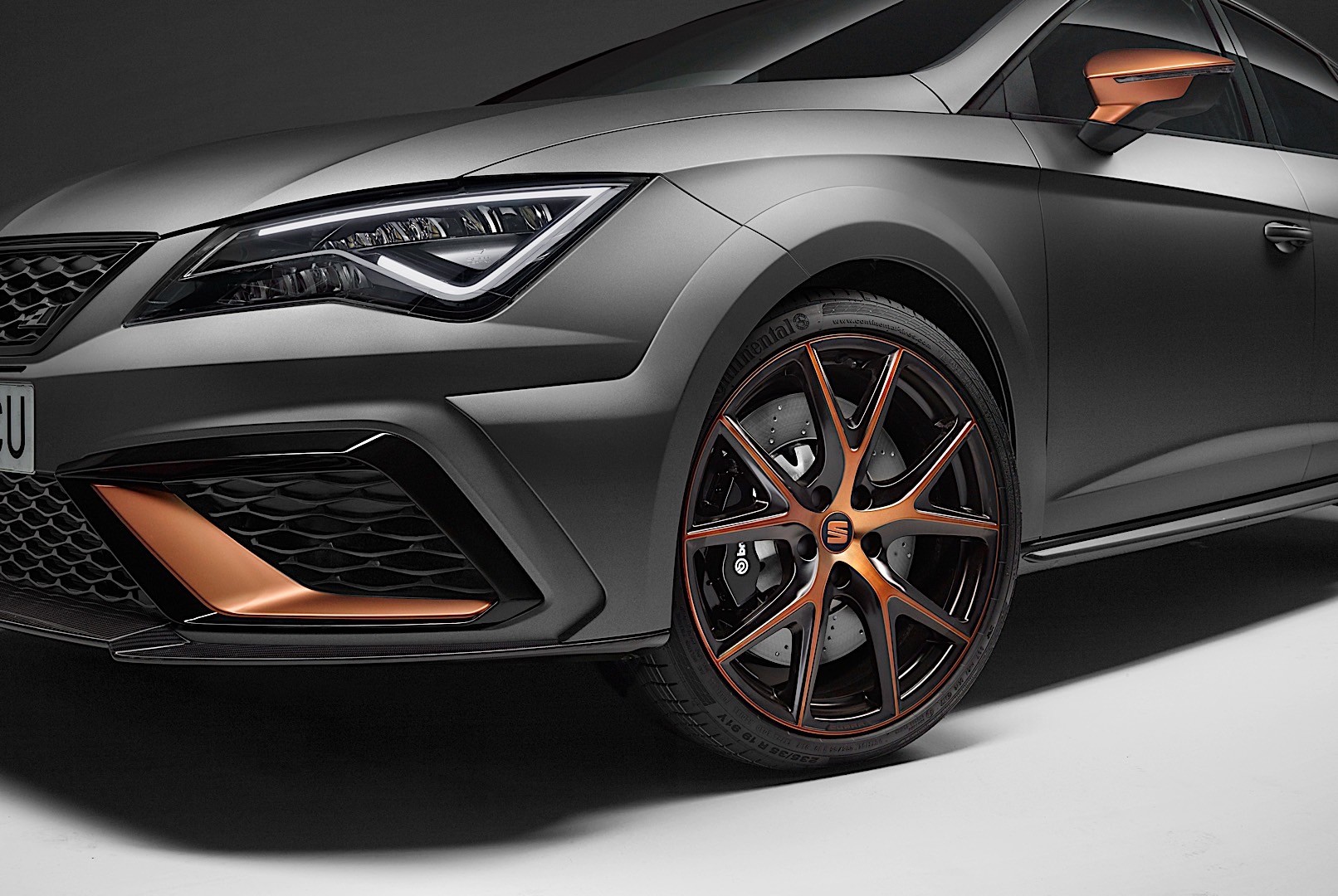
Due to confidentiality reasons, I cannot showcase images of ongoing projects. However, I include reference images of the latest Cupra models in my portfolio to provide context for my work. This section is complemented with detailed descriptions of the design processes, challenges addressed, and solutions implemented in each use case.
Goal
My goal is to contribute to an advanced, safe, and intuitive digital driving experience, ensuring that every interaction between the user and the vehicle is efficient and enjoyable.
Work Process and Responsibilities
My role covers the entire development cycle of the user experience in the infotainment system and digital instrumentation of the vehicle.
My tasks
Prototyping and Animations
Creating interactive prototypes and animations to visualize and clearly communicate interface interactions and transitions.
Presentations and Concept Defense
Preparing presentations to explain design decisions and defend proposals before multidisciplinary teams
Conceptualization and Design
Developing mid- to high-fidelity wireframes to ensure smooth and intuitive navigation on the car screens.
Validation and Technical Feasibility
Working closely with engineering and development teams to ensure that designed functions are implementable and comply with industry regulations.
Research and Analysis
Conducting user studies, usability testing, and competitive benchmarking to identify improvements and trends in automotive interfaces.
Technical Specifications
Creating detailed functional and resource specifications to facilitate implementation by the development team.
Design System Creation & Managment
I design and maintain UI design systems for in-car screen prototypes, for different platforms, ensuring consistency, usability, and scalability across all interfaces.
Experience in Augmented Reality
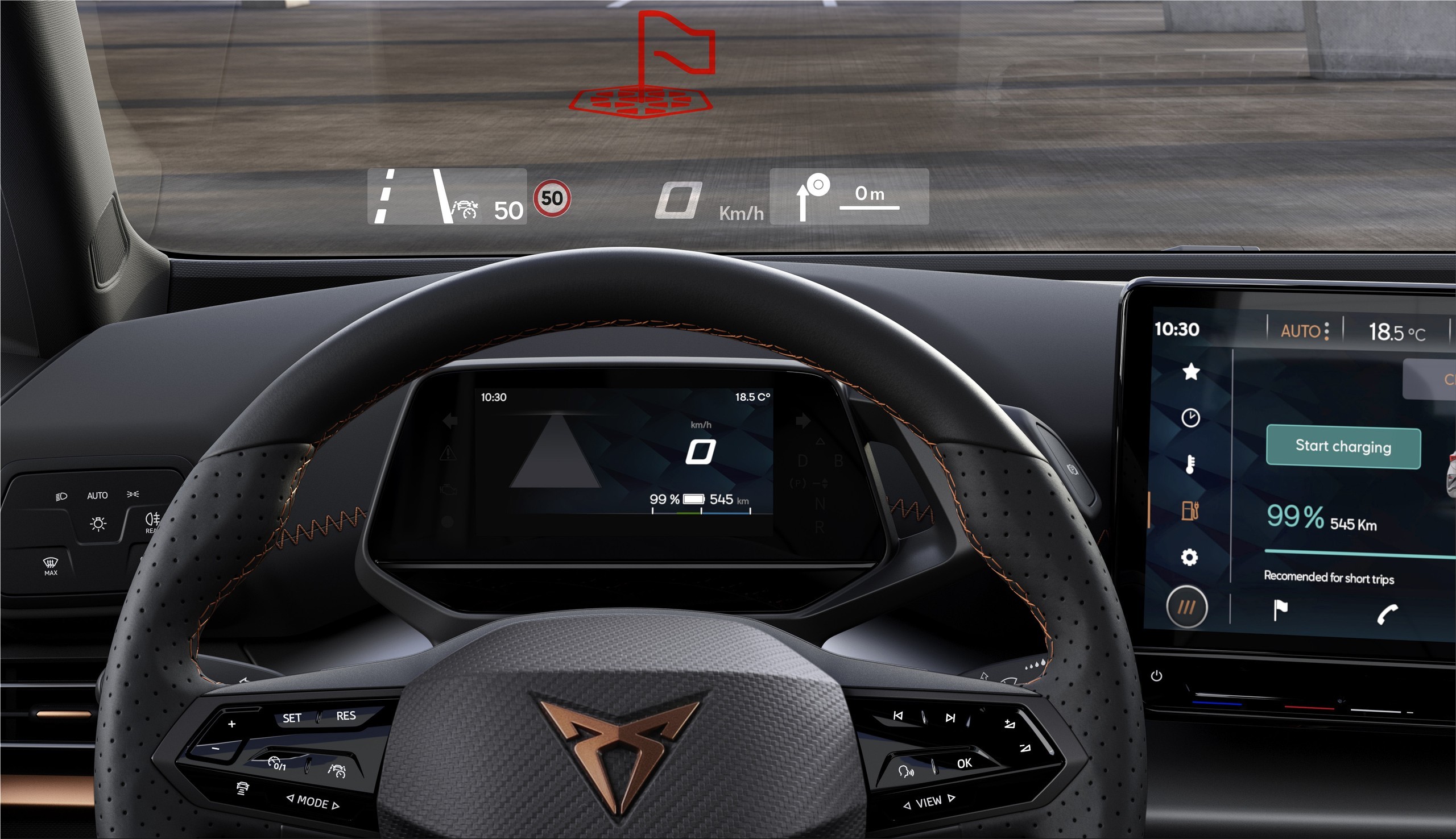
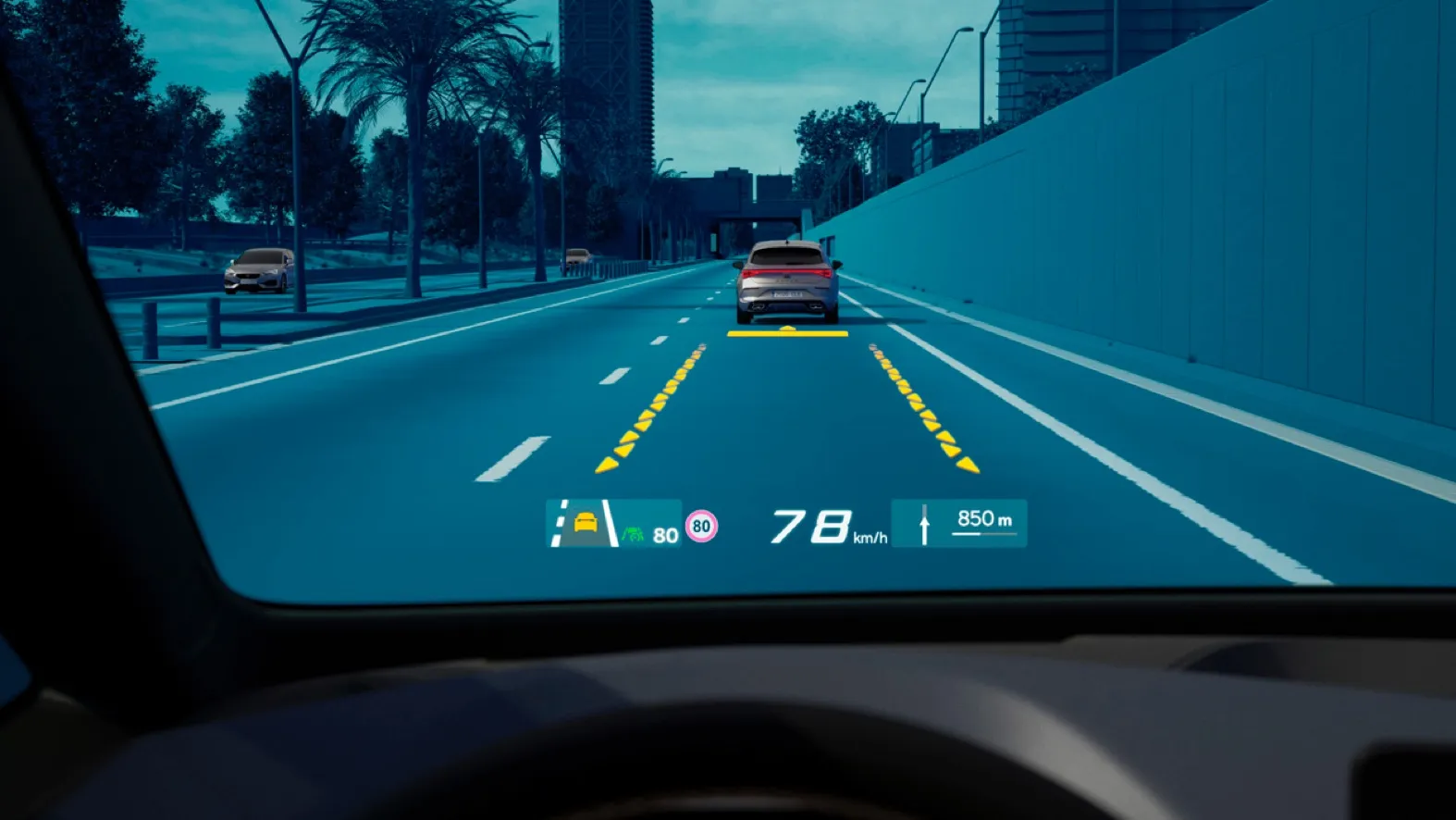
One of the most innovative aspects of my work is integrating interfaces into the augmented reality system of the latest Cupra models. By projecting information onto the windshield, I optimize the display of critical driving data without compromising safety.
Steering Wheel Interaction Design
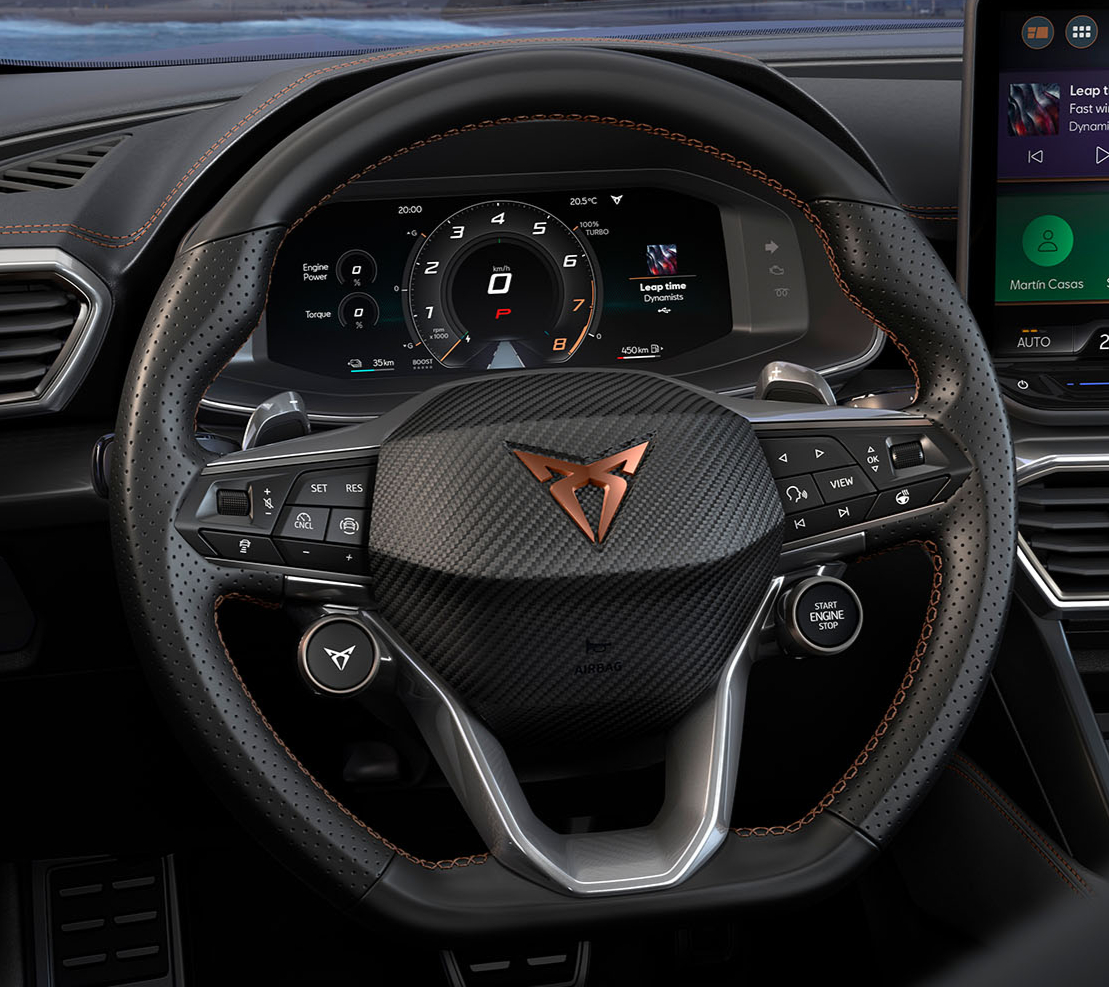
Additionally, I design the layout and interaction of the steering wheel buttons with the car’s screens, considering not only usability and ergonomics but also international regulations and policies that impact the implementation of these controls.
Use Cases and Solutions Implemented
Optimizing Navigation System Usability
Challenge: Drivers needed a more intuitive way to interact with the navigation system while keeping their attention on the road.
Solution: Conducted user testing to identify pain points and designed a function in each display and projection, that enhance usability. The system also included an optimized route suggestion feature based on real-time traffic data.
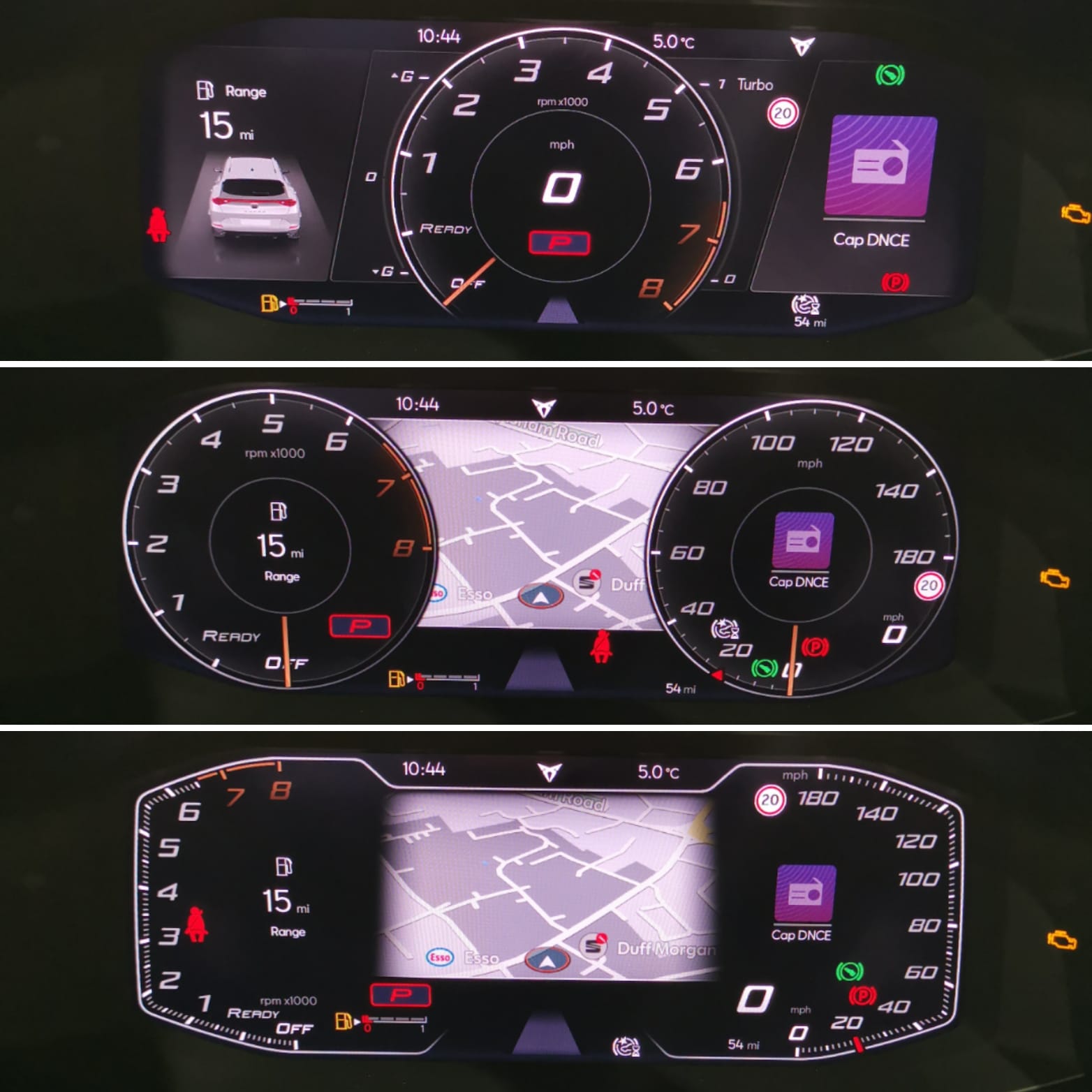
Improving Kombi Display for Adaptive Driving Modes
Challenge: Users reported difficulty understanding the transition between driving modes and the feedback provided by the Kombi display.
Solution: Redesigned the interface with dynamic visual cues, clear iconography, and color-coded indicators for each driving mode. Conducted A/B testing to validate improved comprehension and response times.
Enhancing Augmented Reality HUD for Safer Driving
Challenge: The initial AR projection displayed too much information, overwhelming the driver.
Solution: Implemented a contextual information hierarchy that prioritizes essential data such as speed, navigation, and hazard warnings. Adjusted brightness and placement to ensure visibility in varying lighting conditions.
Steering Wheel Button Layout Optimization
Challenge: Users found it difficult to operate the steering wheel controls without looking away from the road.
Solution: Conducted ergonomic studies and iterative prototyping to refine button placement and tactile feedback. Implemented a haptic response system to provide confirmation without requiring visual attention.
Let’s work together
loisaparicioalvaro@gmail.com
+34 689 681 666

Cupra Projects
As a UX Designer specializing in the user interface of Cupra vehicles, my focus is on enhancing the digital driving experience through the design and optimization of the car's main screens, the steering wheel and the Head-Up-Display.
Confidentiality
Due to confidentiality reasons, I cannot showcase images of ongoing projects. However, I include reference images of the latest Cupra models in my portfolio to provide context for my work. This section is complemented with detailed descriptions of the design processes, challenges addressed, and solutions implemented in each use case.
Goal
My goal is to contribute to an advanced, safe, and intuitive digital driving experience, ensuring that every interaction between the user and the vehicle is efficient and enjoyable.
Work Process and Responsibilities
My role covers the entire development cycle of the user experience in the infotainment system and digital instrumentation of the vehicle.
My tasks
Prototyping and Animations
Creating interactive prototypes and animations to visualize and clearly communicate interface interactions and transitions.
Presentations and Concept Defense
Preparing presentations to explain design decisions and defend proposals before multidisciplinary teams
Conceptualization and Design
Developing mid- to high-fidelity wireframes to ensure smooth and intuitive navigation on the car screens.
Validation and Technical Feasibility
Working closely with engineering and development teams to ensure that designed functions are implementable and comply with industry regulations.
Research and Analysis
Conducting user studies, usability testing, and competitive benchmarking to identify improvements and trends in automotive interfaces.
Technical Specifications
Creating detailed functional and resource specifications to facilitate implementation by the development team.
Design System Creation & Managment
I design and maintain UI design systems for in-car screen prototypes, for different platforms, ensuring consistency, usability, and scalability across all interfaces.
Experience in Augmented Reality
One of the most innovative aspects of my work is integrating interfaces into the augmented reality system of the latest Cupra models. By projecting information onto the windshield, I optimize the display of critical driving data without compromising safety.
Steering Wheel Interaction Design
Additionally, I design the layout and interaction of the steering wheel buttons with the car’s screens, considering not only usability and ergonomics but also international regulations and policies that impact the implementation of these controls.
Use Cases and Solutions Implemented
Optimizing Navigation System Usability
Challenge: Drivers needed a more intuitive way to interact with the navigation system while keeping their attention on the road.
Solution: Conducted user testing to identify pain points and designed a function in each display and projection, that enhance usability. The system also included an optimized route suggestion feature based on real-time traffic data.
Improving Kombi Display for Adaptive Driving Modes
Challenge: Users reported difficulty understanding the transition between driving modes and the feedback provided by the Kombi display.
Solution: Redesigned the interface with dynamic visual cues, clear iconography, and color-coded indicators for each driving mode. Conducted A/B testing to validate improved comprehension and response times.
Enhancing Augmented Reality HUD for Safer Driving
Challenge: The initial AR projection displayed too much information, overwhelming the driver.
Solution: Implemented a contextual information hierarchy that prioritizes essential data such as speed, navigation, and hazard warnings. Adjusted brightness and placement to ensure visibility in varying lighting conditions.
Steering Wheel Button Layout Optimization
Challenge: Users found it difficult to operate the steering wheel controls without looking away from the road.
Solution: Conducted ergonomic studies and iterative prototyping to refine button placement and tactile feedback. Implemented a haptic response system to provide confirmation without requiring visual attention.
Let’s work together
loisaparicioalvaro@gmail.com
+34 689 681 666